ONE SHELF FOR EVERYTHING YOU READ
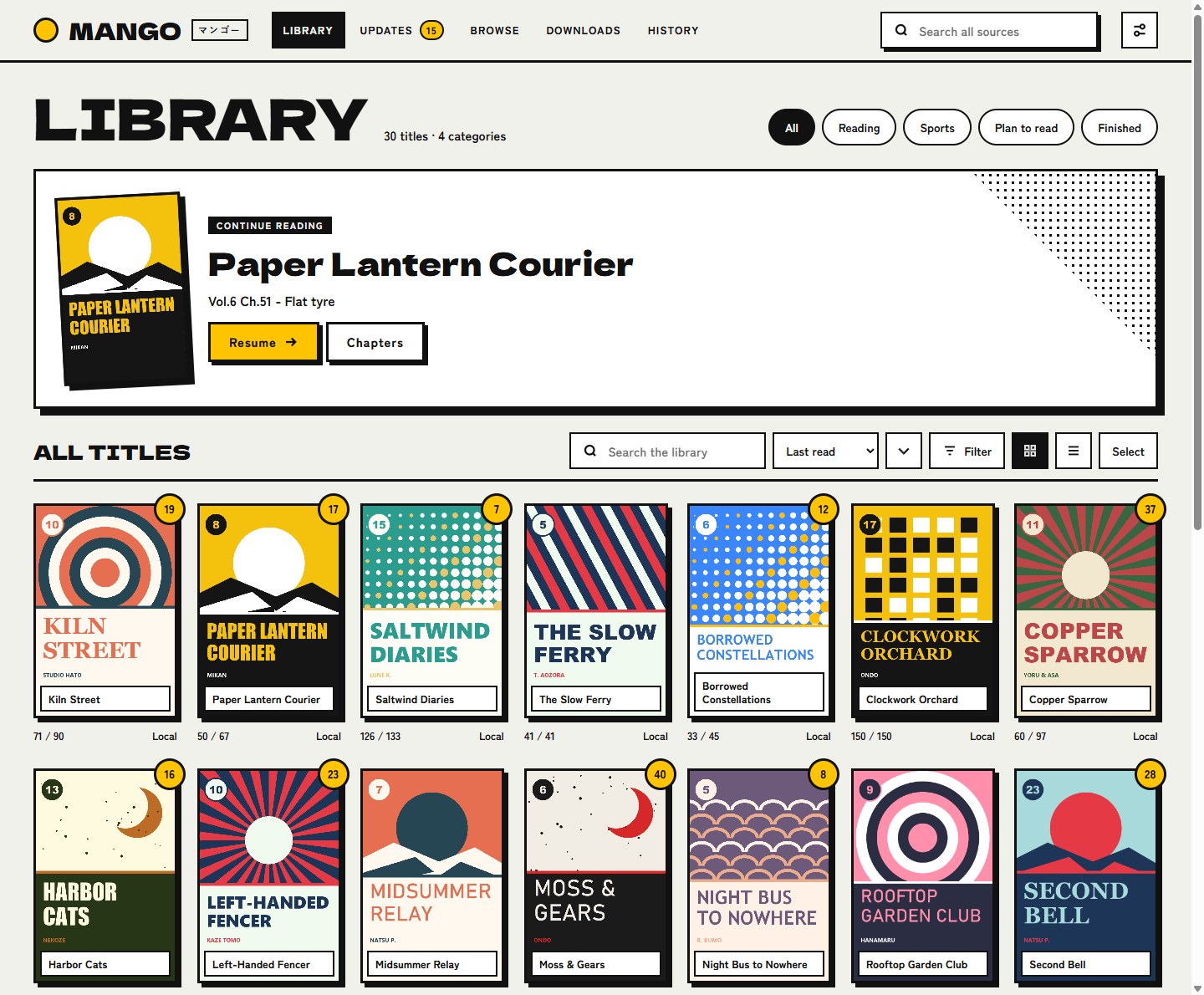
Mango gathers manga and manhwa from the sources you choose into one library, and reads them in the browser on your phone, tablet or computer.
Just looking? Try it as a guest: no email, nothing to fill in.
- No ads
- Your library stays private
- Picks up where you left off
Features
EVERYTHING A READER NEEDS
One place for what you follow, a reader made for each kind of comic, and nothing in your way.
- Every source, one shelfPopular and latest lists for each source, one search across all of them, and one library with categories for what you follow.
- A reader for each kindPaged left to right or right to left, vertical, or one long strip for webtoons. Keyboard, touch and wheel. It opens at the page you left.
- New chapters find youYour library is checked on a schedule, and what you have not read yet is counted for you.
- Read with no networkChapters download as CBZ files and open without the source.
- Progress that followsAniList, MyAnimeList, Kitsu and MangaUpdates keep up as you read.
- A shelf of your ownYour library, history and settings are yours. Nobody else sees what you read.
- Bring what you haveA backup from Mihon or Suwayomi carries your library, read chapters and history across, and Mango writes one they read.
- Your reading apps tooThe library is an OPDS catalog: apps that read one browse it and fetch chapters.
- Yours to look atSix looks, six accent colours, light and dark, or colours you pick.
How to start
READING IN THREE STEPS
- Make an accountPick a username, give your email, and choose a password from the link we send. Or try it as a guest and start at once.
- Add a sourceUnder Browse, open Extensions and install one. A short tour on your first visit shows you around.
- ReadAdd what you follow to your library and open a chapter. Mango finds new ones for you.
Pricing
FREE TO START
Every reader gets a Mango of their own. Upgrade when you want more room.
FREE
$0 for good
- 1 GB for your downloads
- New chapters looked for every 12 hours
- Any extension
- Backups for Mihon and Suwayomi
PLUS
$1.99 a month
or $19.99 a year
Everything in Free, and:
- 10 GB for your downloads
- New chapters looked for every 6 hours
- New chapters downloaded by themselves
- Sources behind a Cloudflare check
- Trackers: AniList, MyAnimeList and more
- OPDS, for reading apps
On every plan, new chapters can also be looked for by hand at any time. Plus is sold by Paddle, our reseller, who handles the payment, taxes and receipts. Cancel at any time; going back to Free deletes nothing. A guest needs nothing filled in and is removed after three days unused.
OPEN SOURCE, NO LIMITS
Mango is free software under the Apache License 2.0. Run it on your own computer or server: no account, no plans, no limits. It is a reader, not a collection; pages come from the sources you choose, when you open them.